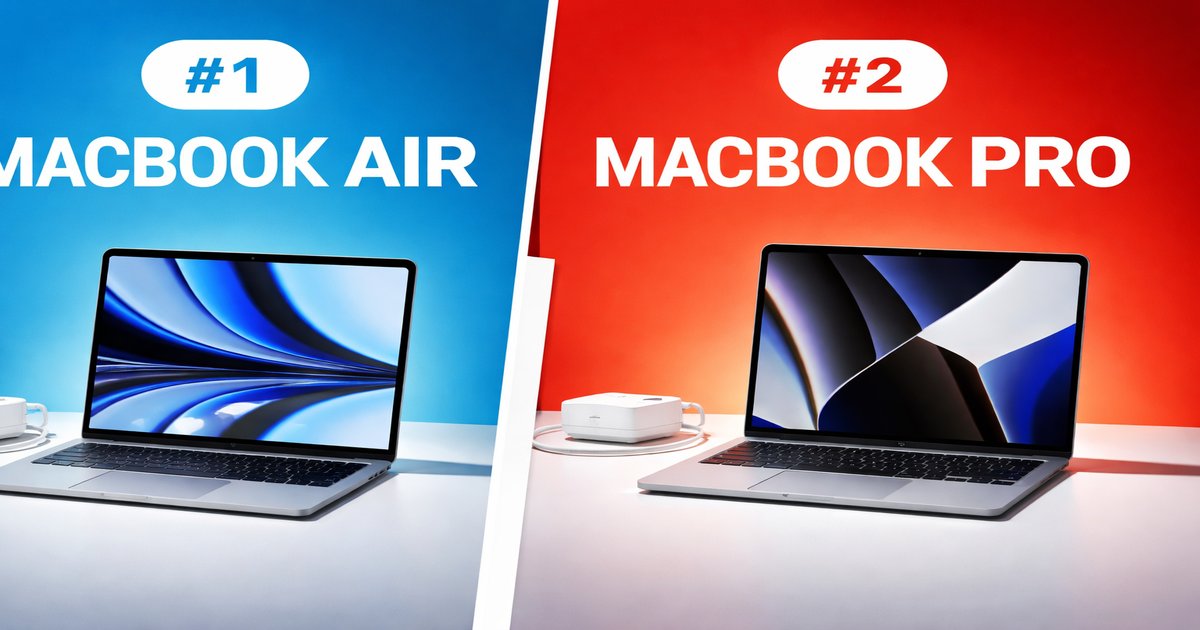
So you’re in the market for a new laptop and you’re torn between the MacBook Air and the MacBook Pro. Maybe you’re a student who needs something light yet powerful, or a creative professional who needs that extra oomph. Let’s cut through the fluff and get to what really matters for you.
| Specification | MacBook Air | MacBook Pro |
|---|---|---|
| Display Size | 13.3 inches | 14 inches / 16 inches |
| Weight | 2.8 lbs | 3.5 lbs / 4.3 lbs |
| Processor | Apple M1 | Apple M1 Pro / M1 Max |
| Battery Life | Up to 18 hours | Up to 21 hours |
| Price | Starting at $999 | Starting at $1999 |
| Touch Bar | ✗ | ✓ (16-inch model) |
| Portability | ✓ | ✗ |
✅ macbook air Pros
- Ultra-portable and lightweight
- Impressive battery life
- Affordable price point
❌ macbook air Cons
- Limited to M1 chip
- Lacks advanced display options
- No Touch Bar
✅ macbook pro Pros
- Exceptional performance with M1 Pro/Max chips
- High-quality Retina display
- Longer battery life
❌ macbook pro Cons
- Considerably more expensive
- Heavier and less portable
- Overkill for basic tasks
Performance: Power vs. Portability
You’ve got the MacBook Air, which is perfect for everyday tasks like web browsing, document editing, and streaming. The M1 chip is no slouch, but when you’re running intensive applications like Final Cut Pro or multiple virtual machines, the Air starts to feel underpowered. Enter the MacBook Pro, with its beefy M1 Pro and M1 Max chips, which chew through demanding tasks without breaking a sweat. If your work involves heavy graphics or data processing, the Pro is the clear winner, despite its heftier build.
Build Quality: Design and Durability
Both models flaunt Apple’s signature sleek design, but they cater to different needs. The MacBook Air is feather-light, making it your perfect travel buddy. It’s durable enough for everyday use, but don’t expect it to withstand heavy knocks. The MacBook Pro, on the other hand, is a fortress of aluminum. It’s robust and feels more premium, partly due to its weight and thickness. If you’re prone to tossing your laptop into a bag full of gear, the Pro will handle the rough and tumble better.
Value: What Are You Really Paying For?
MacBook Air offers incredible value with its lower price, especially if your tasks are light. You’re getting a fantastic Retina display, solid performance, and excellent battery life in a compact form. But if you look at the MacBook Pro, you’re paying for the extras—better performance, bigger display, and additional features like the Touch Bar. These are crucial if your livelihood depends on high performance. For everyone else, the MacBook Air delivers more bang for your buck.
Don’t get caught up in the bells and whistles. The MacBook Pro’s Touch Bar is cool but not a game-changer for most users. Also, the extra weight is a bigger deal than you might think if you’re always on the go. Remember, both models are a pain to upgrade, so choose your specs wisely from the start.
Our Final Verdict: Which One Should You Buy?
For students, writers, and anyone who values portability and price, the MacBook Air is your best bet. It’s light, efficient, and won’t break the bank. For professionals, creatives, and power users who need top-tier performance and can justify the higher cost, the MacBook Pro is worth every penny. Just be prepared to lug around a heavier machine.
Can I upgrade the RAM or storage on these MacBooks?
No, both models have soldered RAM and storage. Choose your configuration wisely when purchasing, as upgrades aren’t possible later.
How does the battery life compare in real-world usage?
In real-world tests, the MacBook Air can last up to 15 hours on mixed usage, while the MacBook Pro can push closer to 18 hours thanks to its larger battery capacity.
Is the MacBook Pro overkill for non-professional tasks?
Yes, if your tasks are limited to browsing, streaming, and document editing, the Pro’s extra power will likely go unused. The Air is more than sufficient for such needs.
