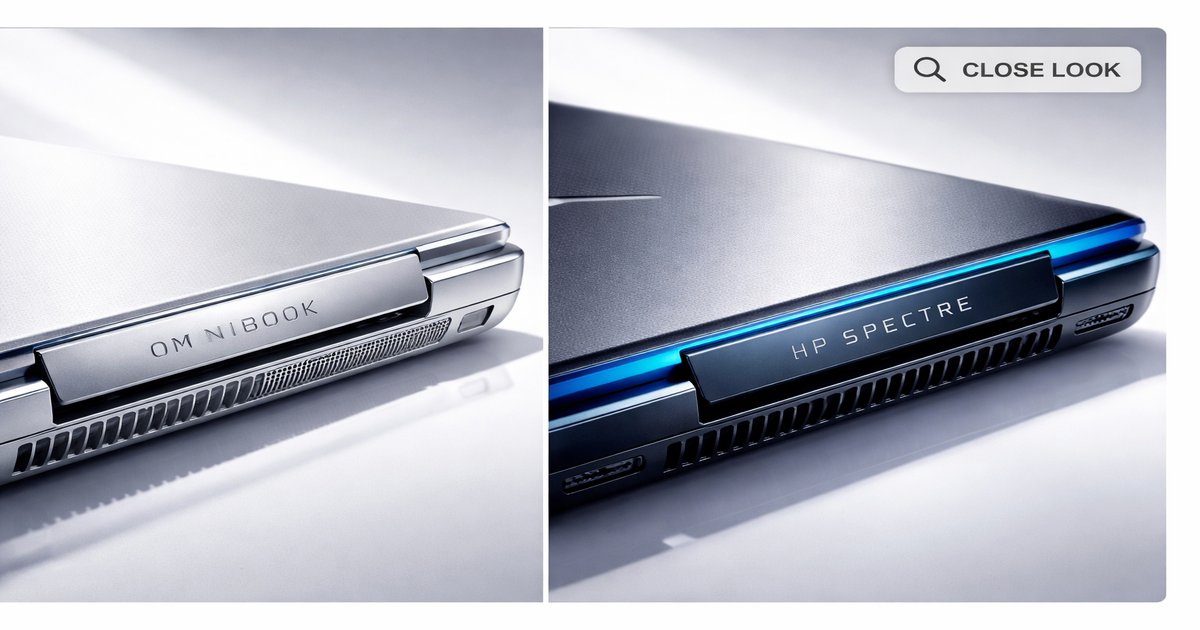
When you’re on the hunt for a new laptop, choosing between the Omnibook and the HP Spectre can feel like picking between two equally tempting desserts that offer slightly different flavors. You’re investing in a tool that must meet your needs, whether for work, play, or a bit of both, and knowing which one is the better fit for your lifestyle is crucial.
| Feature | Omnibook | HP Spectre |
|---|---|---|
| Processor | Intel Core i5 | Intel Core i7 |
| RAM | 8GB | 16GB |
| Storage | 256GB SSD | 512GB SSD |
| Display | 13.3″ FHD | 13.5″ 4K OLED |
| Battery Life | 10 hours | 12 hours |
| Weight | 1.3 kg | 1.2 kg |
| Touchscreen | ✓ | ✓ |
✅ omnibook Pros
- Affordable price point for the specs offered.
- Lightweight and portable, ideal for travel.
- Decent battery life for daily tasks.
❌ omnibook Cons
- Limited RAM, not ideal for heavy multitasking.
- Lower display resolution.
- Basic design, lacks premium feel.
✅ hp spectre Pros
- High-performance with Intel Core i7 and 16GB RAM.
- Stunning 4K OLED display for media consumption.
- Premium build quality and design.
❌ hp spectre Cons
- Higher price tag.
- Heats up under heavy use.
- Battery life can be less than expected with 4K usage.
Performance
The HP Spectre is the clear winner in the performance arena. With an Intel Core i7 processor paired with 16GB of RAM, it handles intensive tasks like video editing and running virtual machines with ease. The Omnibook, equipped with an Intel Core i5 and 8GB of RAM, is more suited for everyday tasks such as browsing and document editing. If you’re a multitasker or someone who needs a powerhouse, the Spectre won’t disappoint.
Build Quality
The HP Spectre feels like a luxury item. From its gem-cut design to the robust aluminum chassis, it exudes premium quality. It’s sleek, stylish, and demands attention. The Omnibook, while solidly built, lacks that upscale aura. It’s more utilitarian, with a focus on function over form. If aesthetics and tactile satisfaction are high on your list, the Spectre is your go-to.
Value for Money
For budget-conscious buyers, the Omnibook offers decent value. It’s capable enough for the average user at a much lower price than the Spectre. However, if you can stretch your budget, the Spectre’s superior specs and build quality justify the higher cost. It’s an investment in performance and style that pays off if you’re a power user or plan to keep your laptop for several years.
The Omnibook, despite its affordability, lacks future-proofing with its limited RAM and storage options. Meanwhile, the HP Spectre’s gorgeous 4K display is a battery drainer, especially if you’re always on the go. Both have their quirks, but they don’t overshadow their strengths if you know what you’re getting into.
Our Final Verdict: Which One Should You Buy?
If you’re a student or a professional who needs a reliable machine for day-to-day activities without breaking the bank, go for the Omnibook. It’s budget-friendly and gets the job done efficiently. On the other hand, if you’re a creative professional or someone who demands top-tier performance and aesthetics, the HP Spectre is worth every penny. It’s an investment in both style and substance.
Is the Omnibook suitable for gaming?
No, the Omnibook is not ideal for gaming due to its limited graphics capabilities and RAM. It’s better suited for less demanding tasks.
Can the HP Spectre handle 4K video editing?
Yes, the HP Spectre is equipped with an Intel Core i7 and ample RAM, making it suitable for 4K video editing and other intensive tasks.
How portable are these laptops?
Both laptops are quite portable, with the HP Spectre weighing slightly less. They’re easy to carry around, though the Spectre offers more power in a compact form.
